Docker for DevOps Engineers
What is Docker?
Open platform to package, deploy, and manage applications in containers.
Allows bundling an app with all its dependencies into a standardized unit (container).
Containers - Standardized units that package code, runtime, and dependencies to isolate apps.
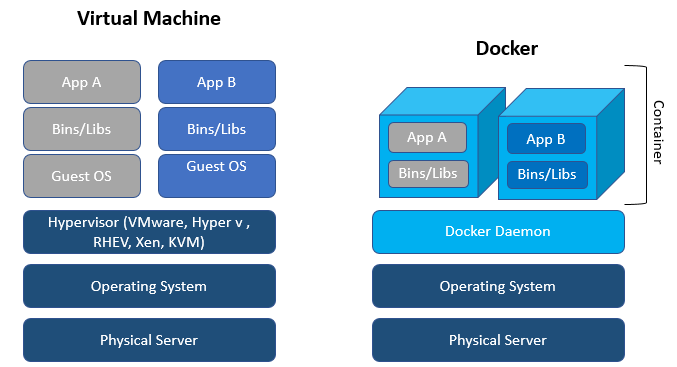
Docker Architecture:
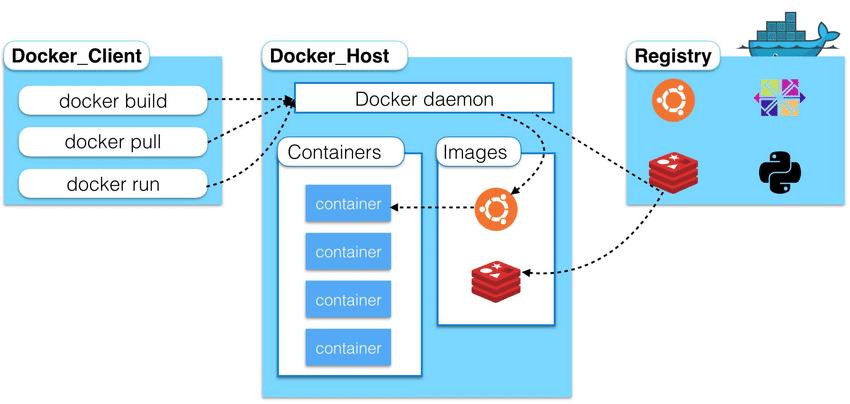
Docker Client: The Docker client is the primary user interface to interact with Docker. It allows you to send commands to the Docker daemon - the background service that builds and runs containers.
The client takes commands from the user and communicates them to the daemon. For example:
docker build - Builds a container image from a Dockerfile
docker run - Starts a container from an image
docker pull - Downloads Docker images from a registry
docker ps - Lists running containers
Docker Host: Docker host provides the runtime environment for building and running Dockerized applications and services in containers. It's where the Docker daemon and containers live.
Docker Registry: A Docker registry serves as a shared storage and distribution system for Docker images within teams and publicly.
Common registry types:
Public registry - Docker Hub
Private (enterprise-grade) registry - Docker Trusted Registry
Third-party registries - AWS ECR and GitLab etc.
Tasks:
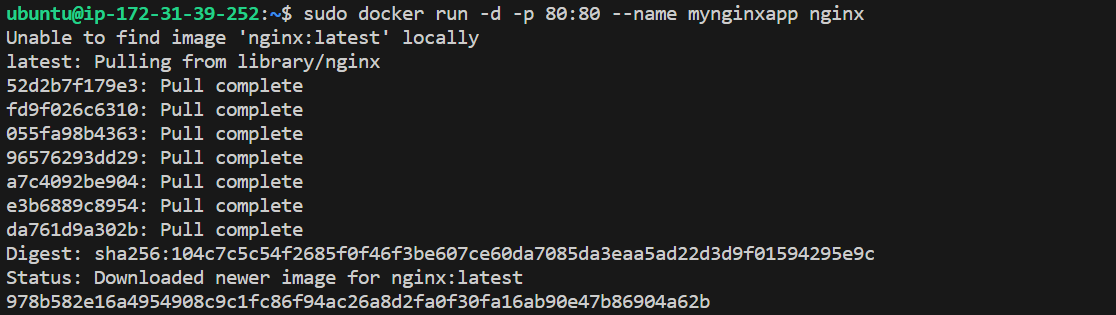
Use the docker run command to start a new container and interact with it through the command line. [Hint: docker run hello-world]
docker run -d -p 80:80 --name mynginxapp nginx
docker run- Runs a new container from the specified image-d- Runs the container in detached/background mode--name mynginxapp- Names the container "my-nginx"nginx- Specifies the image name to use (nginx in this case)-p 80:80- maps container 80 to host 80 explicitly.
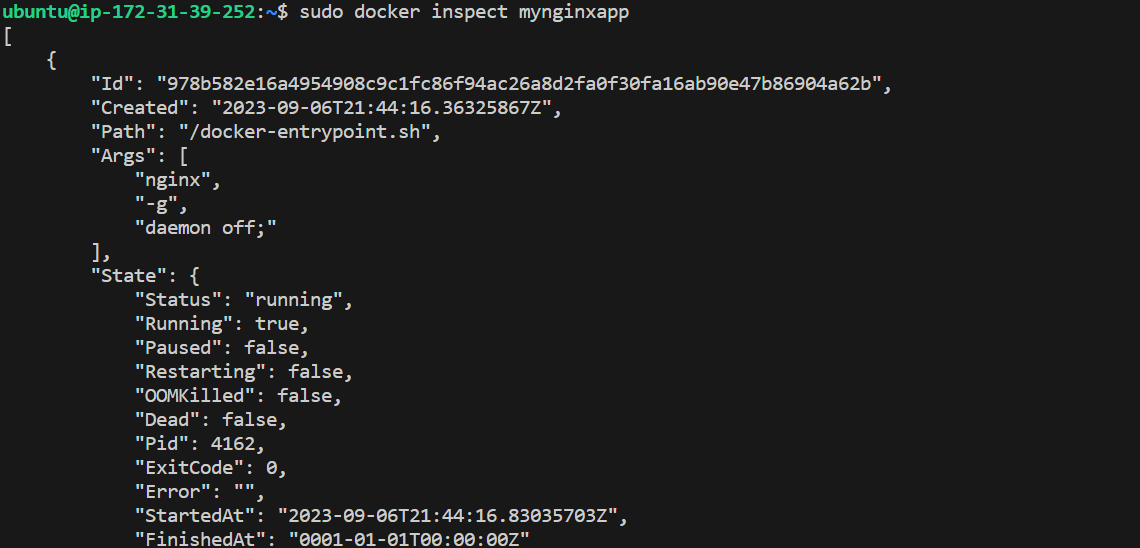
Use the docker inspect command to view detailed information about a container or image.
docker inspect mynginxapp
docker inspect- Gets detailed information about a container or imagemynginxapp- The name/ID of the container or image to inspect
Use the docker port command to list the port mappings for a container.
docker port my-nginx
docker port- Lists the exposed ports and mappings for a containermynginxapp- The name/ID of the container to list port info for

Use the docker stats command to view resource usage statistics for one or more containers.
docker stats mynginxapp
docker stats- Provides live resource usage stats for containersmynginxapp- The name/ID of the container to get stats for

Use the docker top command to view the processes running inside a container.
docker top mynginxapp
docker top- Shows running processes in a containermynginxapp- The name/ID of the container to get process info for

Use the docker save command to save an image to a tar archive.
docker save -o mynginxapp.tar nginx
docker save- Saves an image to a .tar archive-o mynginxapp.tar- Output to a file called nginx-image.tarnginx- The name of the image to save

Use the docker load command to load an image from a tar archive.
docker load -i nginx-image.tar
docker load- Loads an image from a .tar archive-i mynginxapp.tar- Input from the nginx-image.tar file

Thanks for reaading my blog!
I'd love if you could share this article with anyone else who may find it useful!
Have a good day!