Advance Git & GitHub for DevOps Engineers: Part-2
Git Stash:
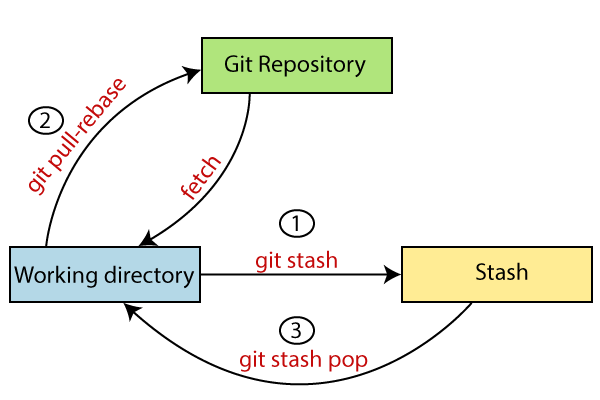
git stash is a command used in the Git version control system to temporarily save changes that you have made to your working directory but are not yet ready to commit. This is often useful when you are in the middle of working on a feature or a bug fix and need to switch to a different branch or perform some other task without committing your current changes.
The git stash command essentially creates a "stash" or a temporary storage area where you can store your changes. This allows you to revert your working directory to a clean state as if you had not made any changes so that you can perform other tasks. Once you are ready to continue working on the changes you stashed, you can apply the stash back to your working directory.
Common "git stash" commands:
'git stash': Stash your changes and reset your working directory to the last committed state.git stash list: List all your saved stashes, along with their references.git stash show -p stash@{n}: Displays the changes stored in a stash along with the exact differences made.git stash apply stash@{n}: Apply a specific stash to your working directory without removing it from the stash list.git stash pop: Apply the latest stash and remove it from the stash list.git stash drop stash@{n}: Permanently removes a specific stash from the list of stashes.git stash clear: Clears out all stashes, effectively removing all your temporary saved changes.git stash branch new-branch-name: Create a new branch and apply the latest stash to it.git stash drop: Remove the most recent stash from the stash list.
Cherry-pick:
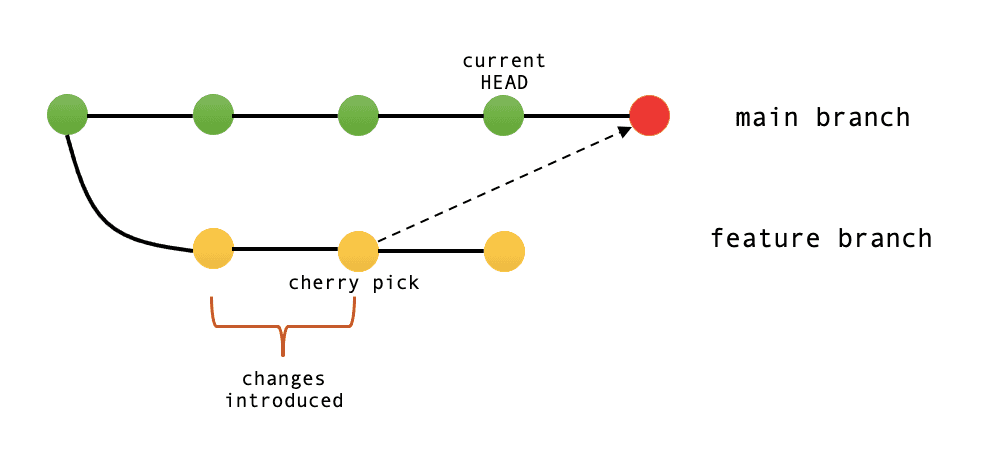
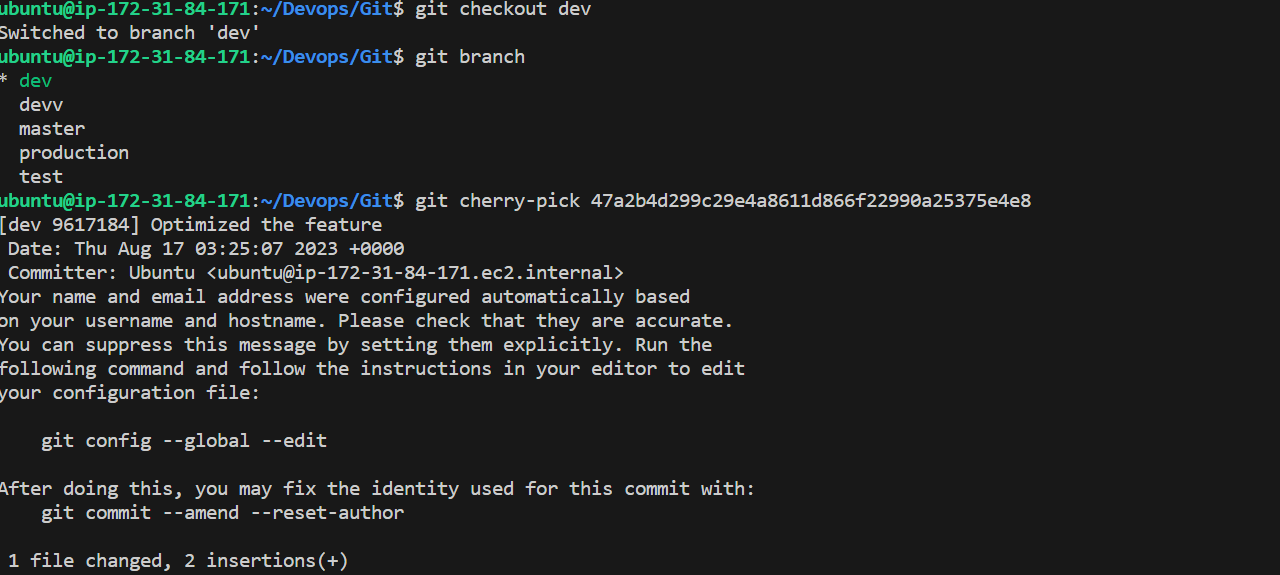
Git cherry-pick copies a commit from one branch and applies it to another. It lets you selectively take commits from different branches without merging everything. For example, you can cherry-pick commit B from a feature branch and apply it to main. This copies B while keeping it on the original feature branch. Cherry-picking is useful for taking specific commits, but watch out for duplicate commits or merge conflicts. Overall, it's a simple way to selectively apply commits between branches.
Command to cherry-pick a commit: git cherry-pick <commit-hash>
Resolving Conflicts:
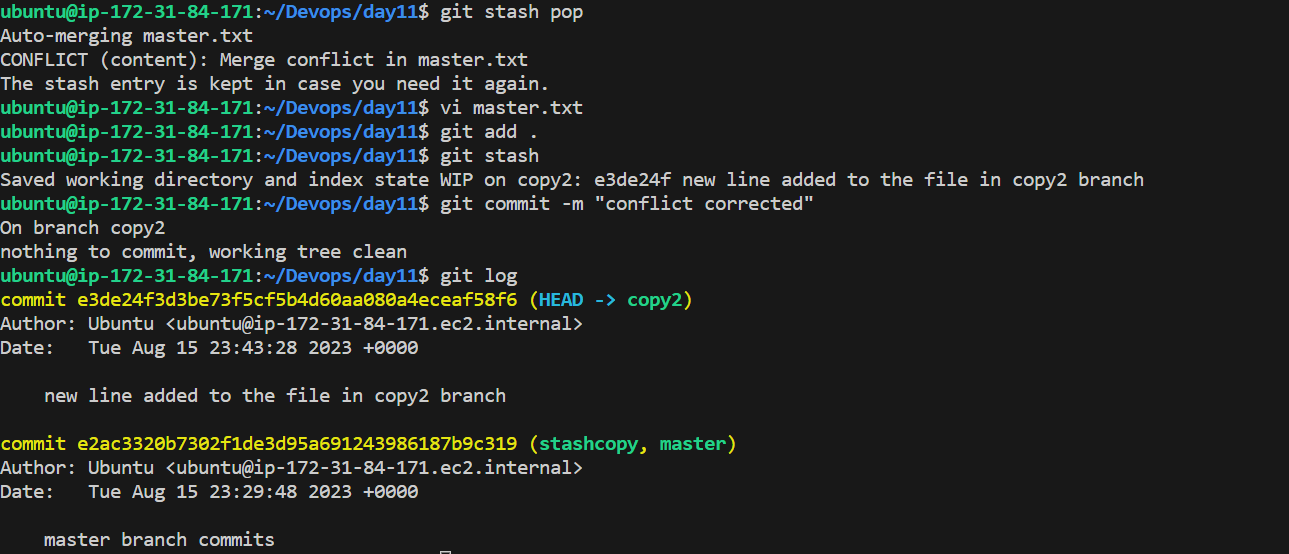
Git merge conflicts happen when the same part of a file is changed on different branches that are being merged. Git can't decide which change to use so it flags a conflict.
Conflicted files will show up as "unmerged" when you run
git status.The conflicts are marked with special markers like
<<<<<<<and>>>>>>>surrounding the conflicting sections.To resolve it, open the file and decide which changes to keep. Delete the conflict markers and make it correct.
After fixing all conflicts, you need to stage the corrected files with
git add. Then commit the merged files withgit commit.
Task-01
Create a new branch and make some changes to it.
A new line was added to the master.txt file in stashcopy branch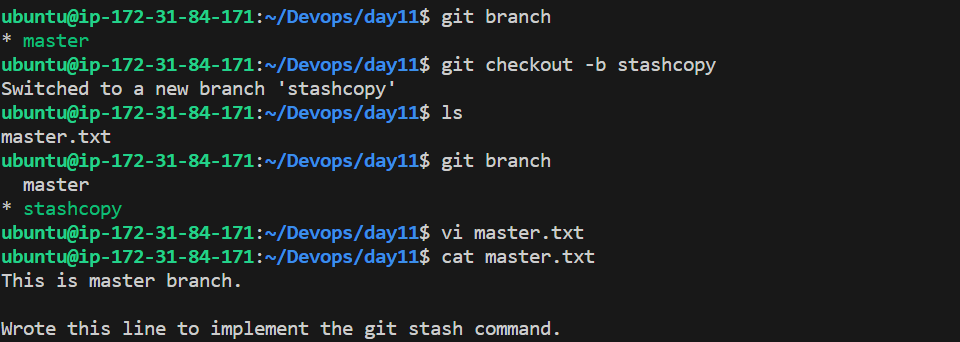
Use git stash to save the changes without committing them.

Switch to a different branch, make some changes and commit them.
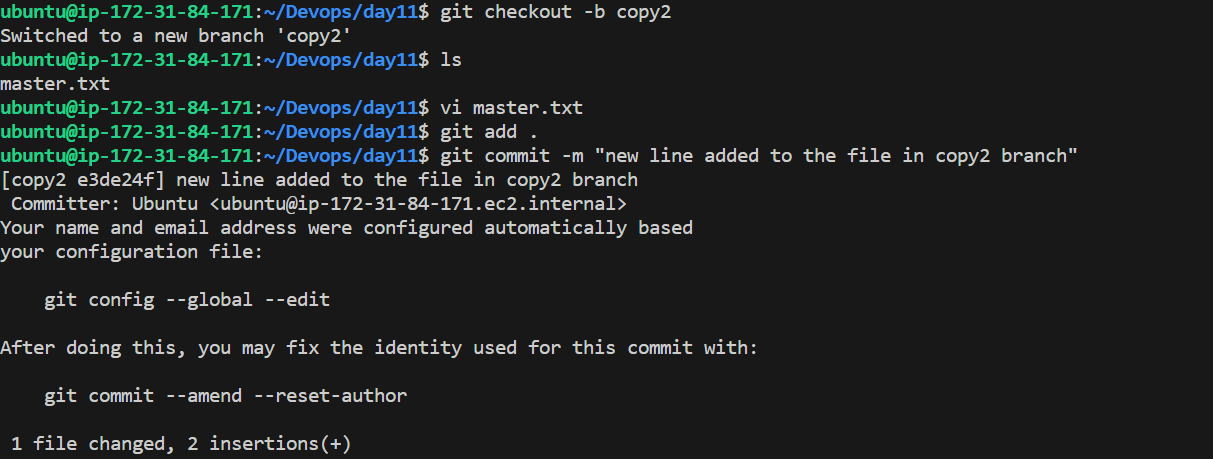
Use git stash pop to bring the changes back and apply them on top of the new commits.
Task-02:
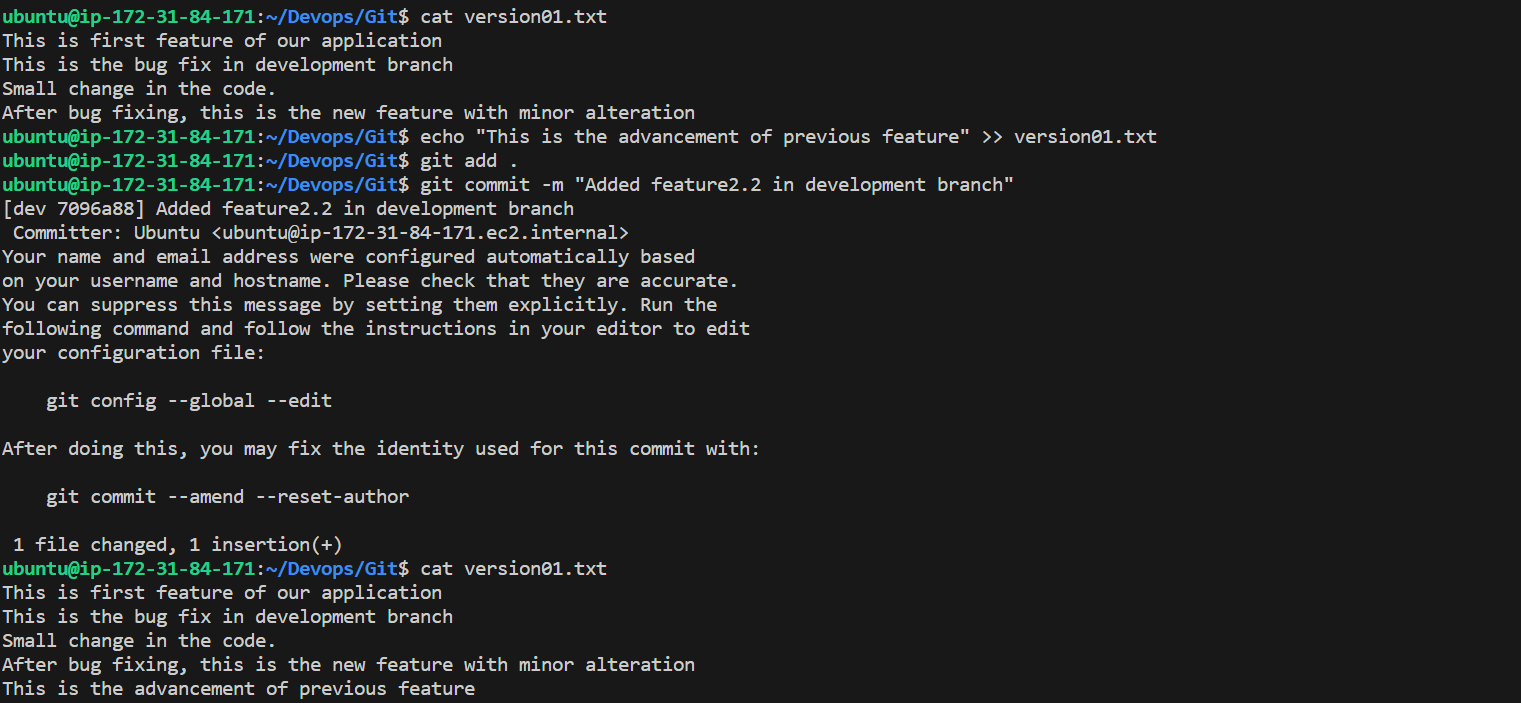
In version01.txt of development branch add below lines after “This is the bug fix in development branch” that you added in Day10 and reverted to this commit.
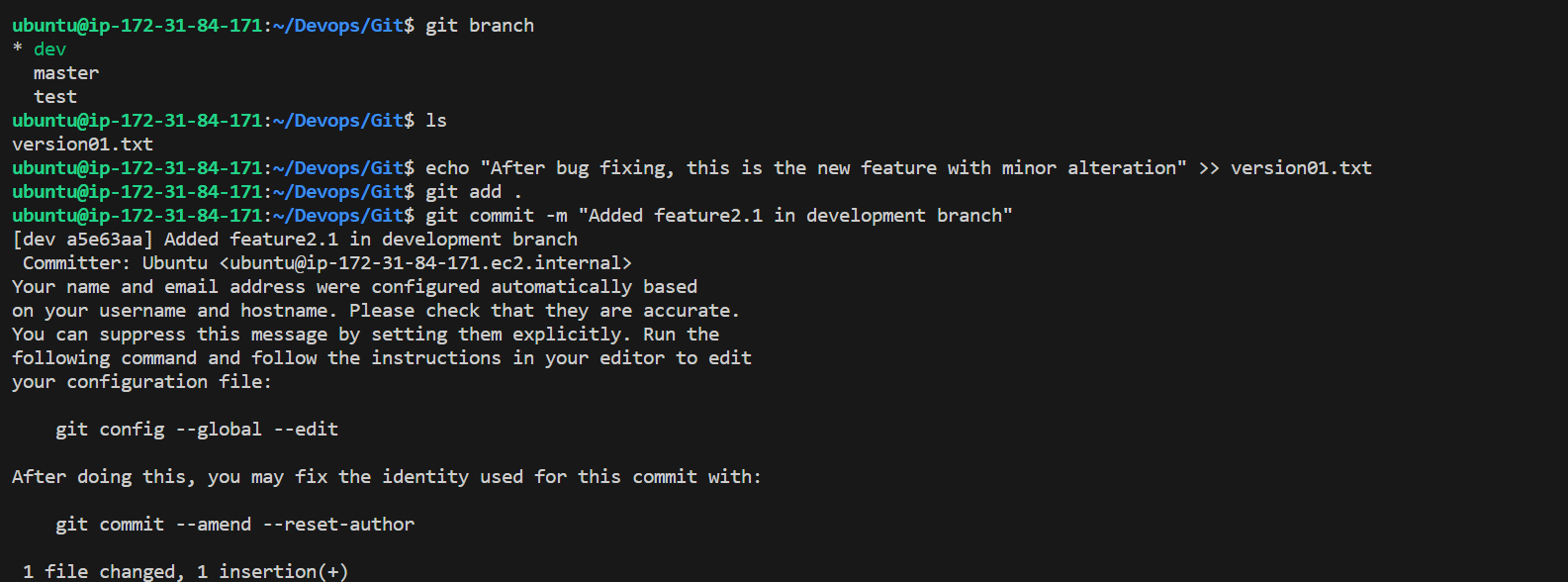
Line2>> After bug fixing, this is the new feature with minor alteration”
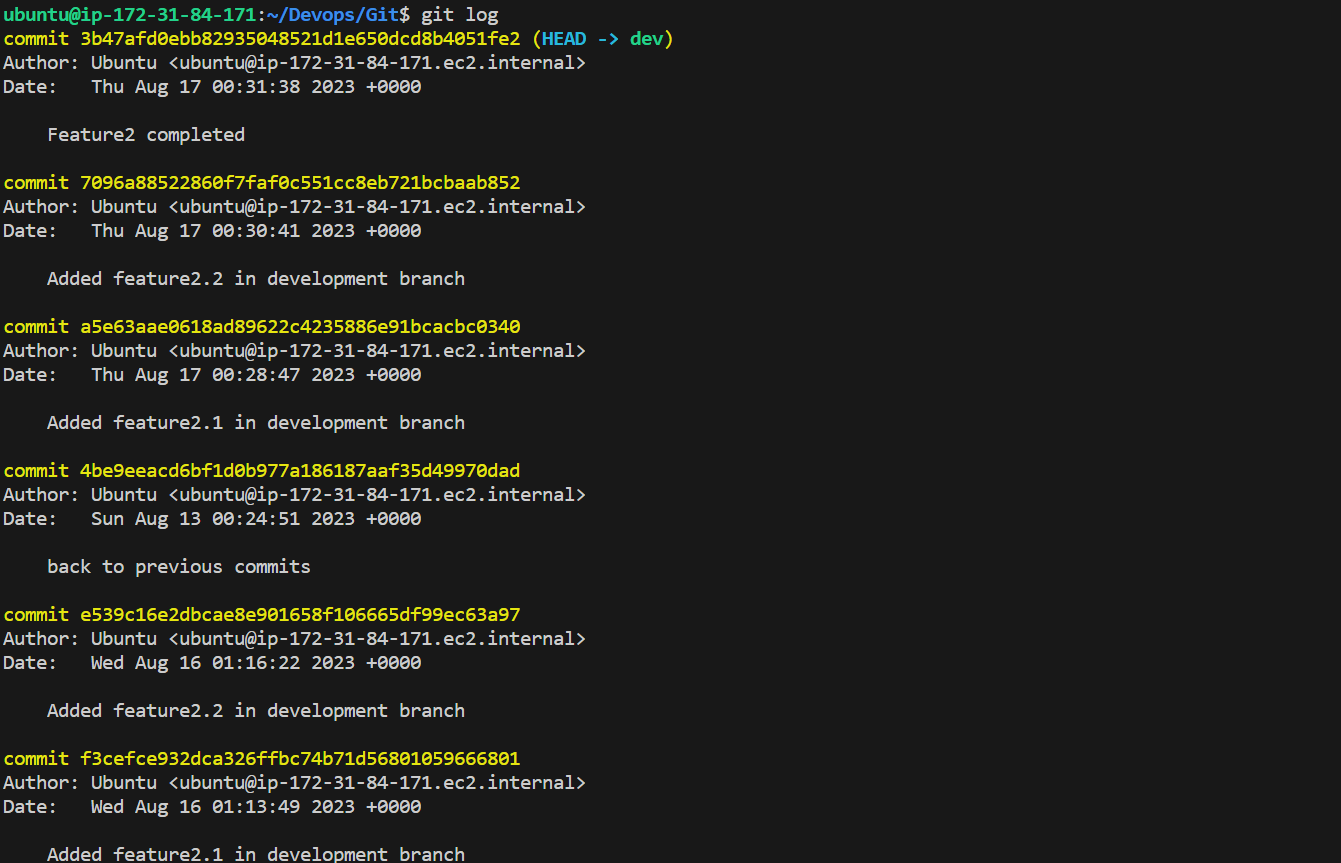
Commit this with message “ Added feature2.1 in development branch”
Line3>> This is the advancement of previous feature
Commit this with message “ Added feature2.2 in development branch”
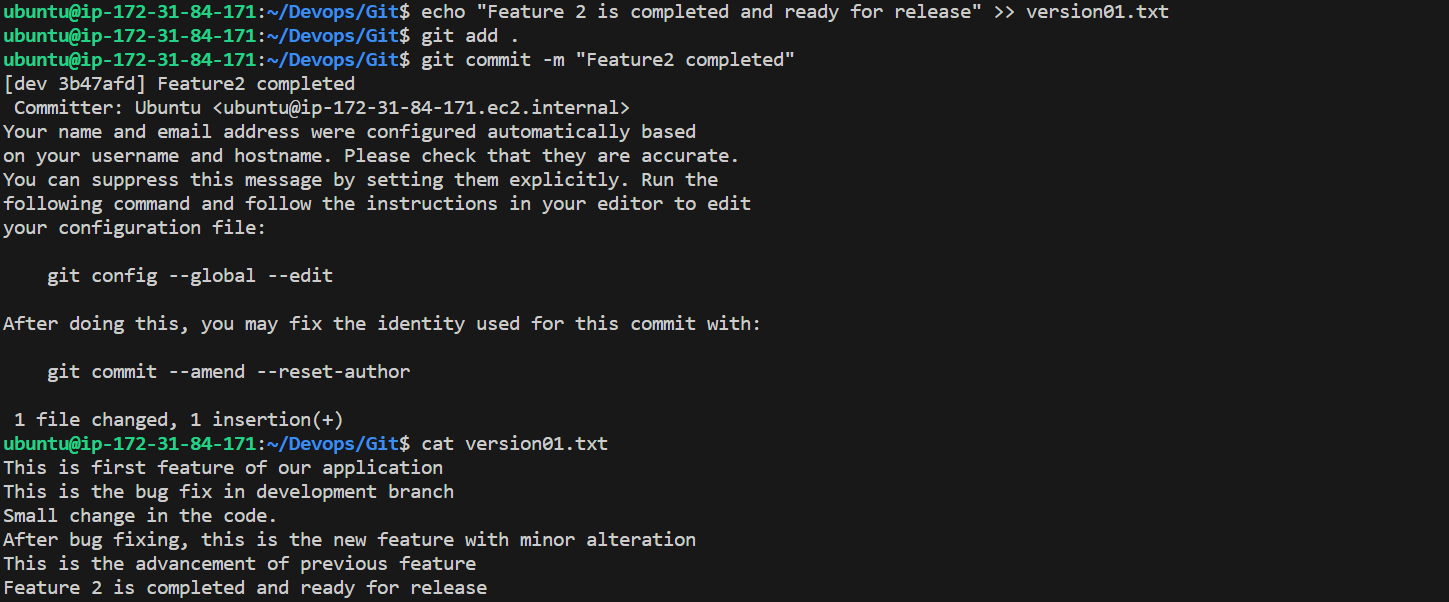
Line4>> Feature 2 is completed and ready for release
Commit this with message “ Feature2 completed”
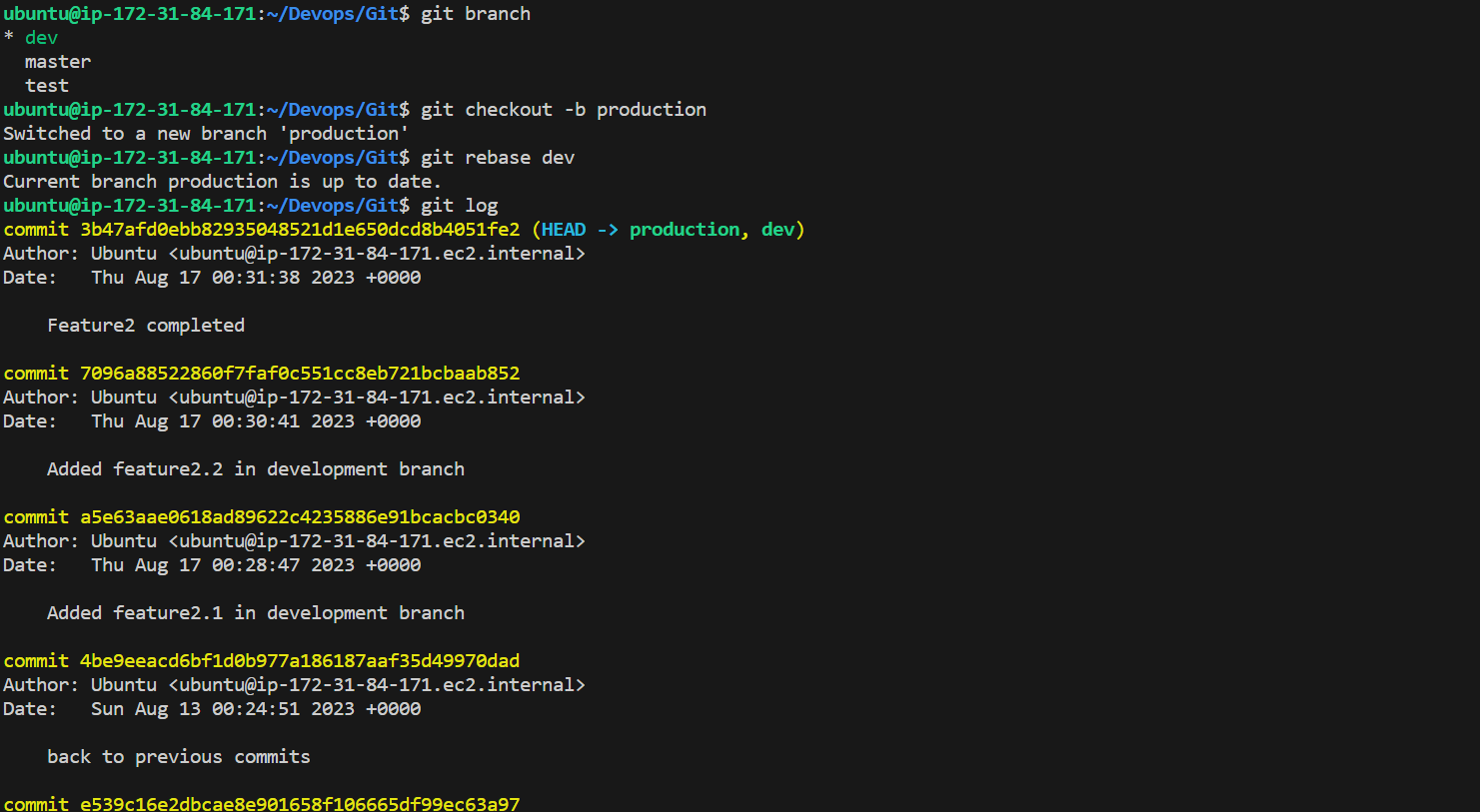
All these commits messages should be reflected in Production branch too which will come out from Master branch (Hint: try rebase).
Task-03:
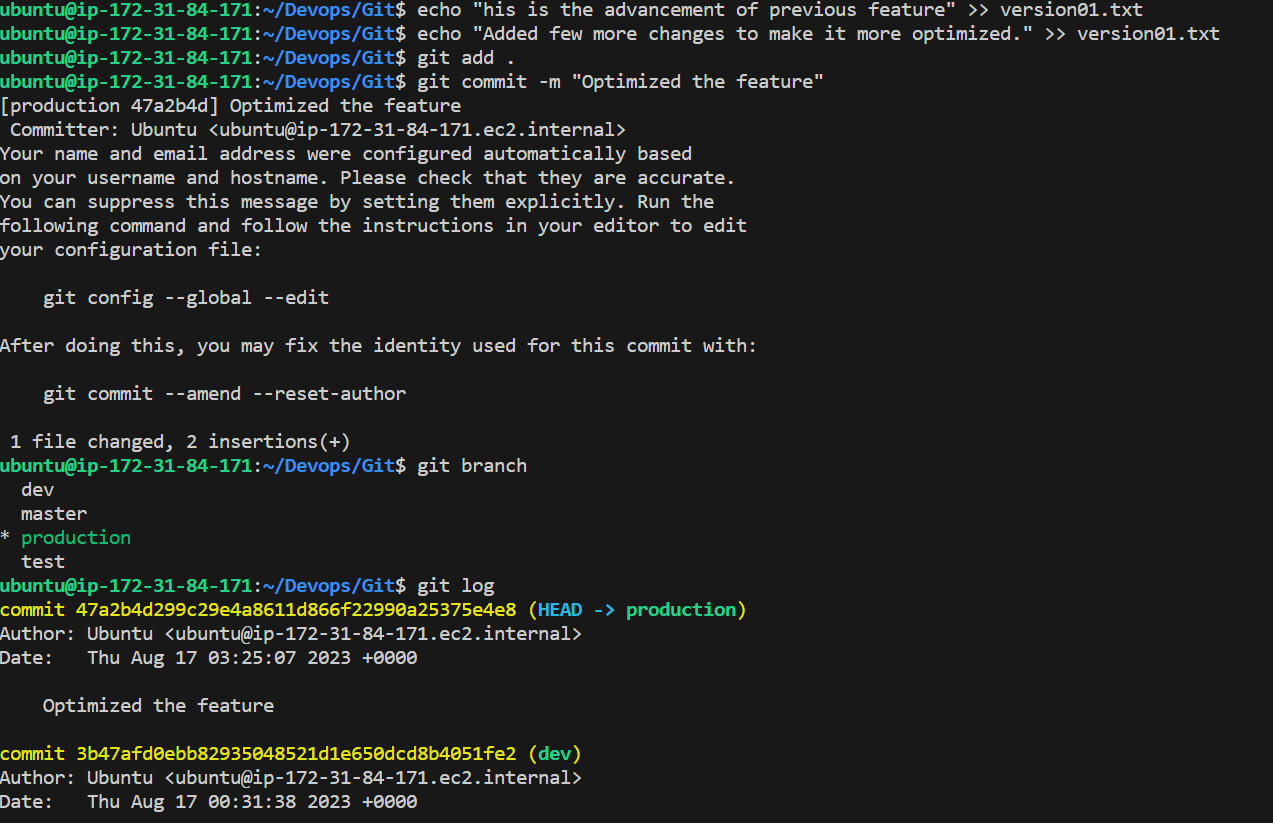
In the Production branch Cherry pick Commit “Added feature2.2 in development branch” and added the below lines in it:
The line to be added after Line3>> This is the advancement of the previous feature
Line 4>>Added few more changes to make it more optimized.
Commit: Optimized the feature
Thanks for reading my blog!